串口通信
下面我们来介绍Viobot2的串口使用
1.接口定义
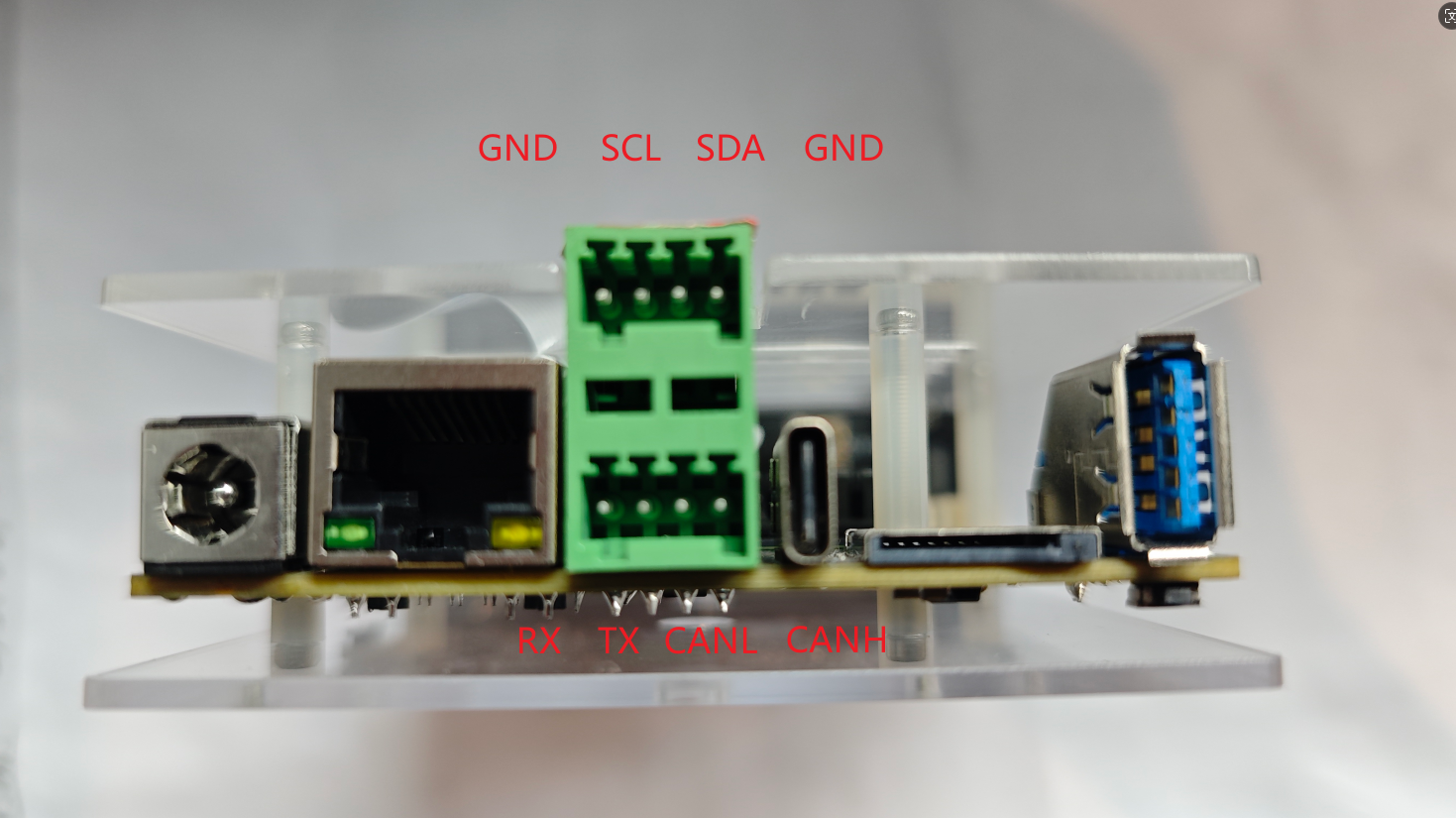
Viobot2面有一个2*4pin的接口母座,接头我们发货的时候会放在盒子里面的。
我们可以看到第一排从左到右引脚分别是GND SCL SDA GND
第二排从左到右分别是RX TX CANL CANH
对应的设备为ttyS0,完整的串口号为/dev/ttyS0
2.硬件连接
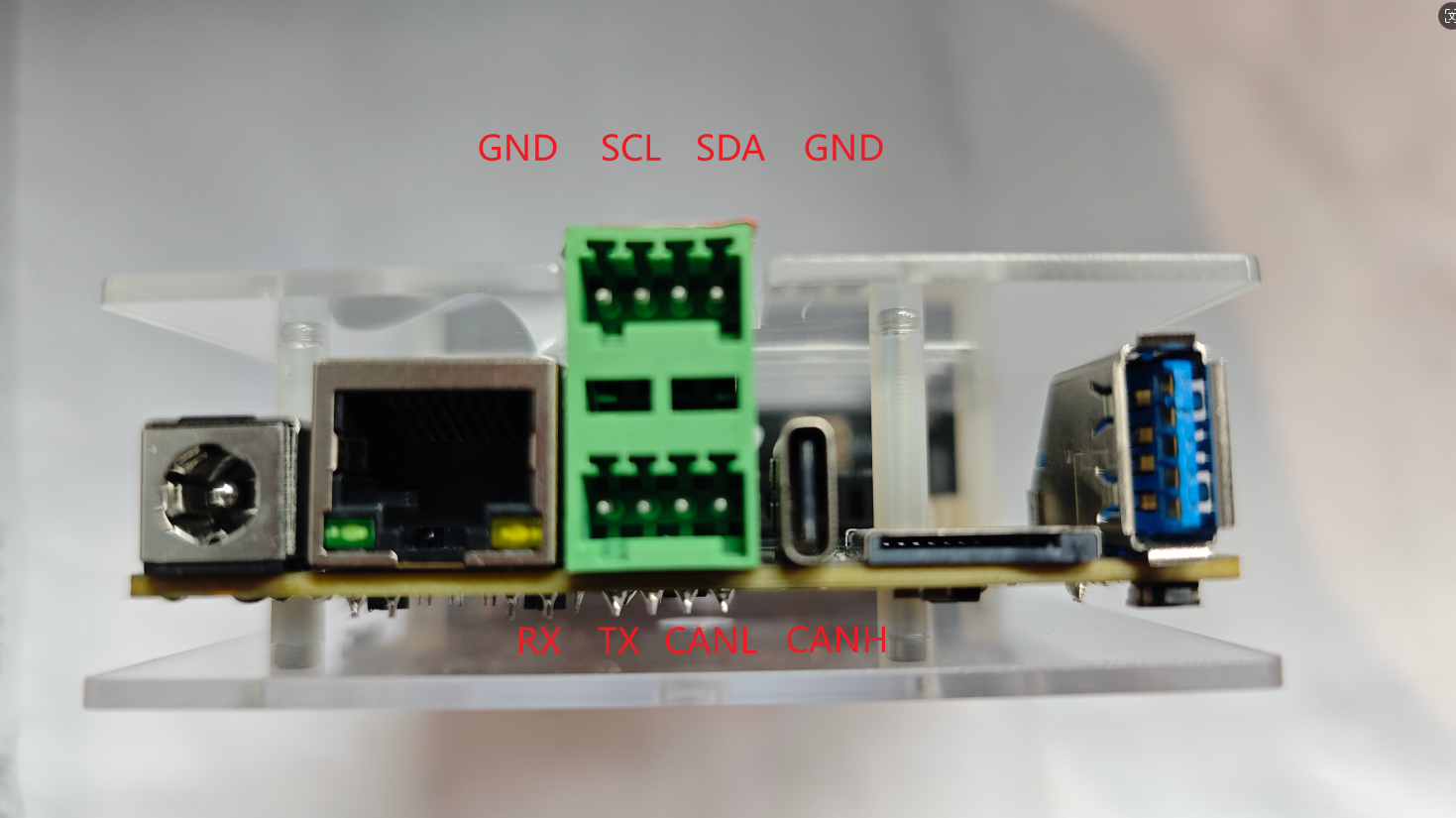
此处使用Viobot2与windows电脑的串口调试助手作为例子。我们先拿出一个市面上常用的串口转usb模块连接好Viobot2和我们自己的电脑。GND连接好,Viobot2的RX接模块的TX,Viobot2的TX接模块的RX。
3.代码测试
这里我们使用比较方便的ROS串口库,当然也可以自己写串口通信,这里只是作为一个样例,尽量简单方便,因为Viobot2出厂系统是自带了ROS环境的,即使开发者在主要开发时使用ROS,也可以根据这个教程直接使用Viobot2的串口。
ROS版本
(1)安装ros-serial库
这个库前期出厂的设备没有默认安装,需要用户自己联网安装一下
sudo apt install ros-noetic-serial
(2)编译代码
将代码放到Baton里面自己的工作空间里面编译,代码也比较简单,初始化一个串口对象,然后进到一个1hz的循环里面,循环里面读取串口接收数据和发送字符串。
#include <ros/ros.h>
#include <string>
#include <iostream>
#include <sstream>
#include <serial/serial.h>
#include <std_msgs/String.h>

serial::Serial my_serial;

int my_serial_init(const char* port,uint32_t baudrate){
    my_serial.setPort(port);
    my_serial.setBaudrate(baudrate);
    serial::Timeout timeout = serial::Timeout::simpleTimeout(1000);
    my_serial.setTimeout(timeout);
    my_serial.setParity(serial::parity_t::parity_none);
    my_serial.setBytesize(serial::bytesize_t::eightbits);
    my_serial.setFlowcontrol(serial::flowcontrol_t::flowcontrol_none);
    my_serial.setStopbits(serial::stopbits_t::stopbits_one);
    try{
        my_serial.open();
    }
    catch(const std::exception &e){
        ROS_ERROR_STREAM("Unable to open port.");
        return -1;
    }

    if(my_serial.isOpen()){
        ROS_INFO_STREAM("Serial Port is opende.\n");
    }
    else{
        ROS_ERROR_STREAM("Unable to open port.");
        return -1;
    }
    return 0;
}

int main(int argc,char **argv){
    ros::init(argc,argv,"serial_demo");
    ros::NodeHandle nh;

    my_serial_init("/dev/ttyS0",115200);

    ros::Rate loop_rate(1);
    while(ros::ok()){
        size_t n = my_serial.available();
        if(n!=0){
            std_msgs::String msg_s;
            msg_s.data = my_serial.read(my_serial.available());
            //这里是把1秒内所有接收到的数据全部打印出来
            //用户可以自定根据接收到的数据进行自己的处理
            ROS_INFO_STREAM("Reading from serial port:"<< msg_s.data);
        }
        std::string msg = "hello, this is viobot serial send message!";
        my_serial.write(msg.c_str());
        loop_rate.sleep();
    }
    return 0;
}
(3)效果展示
source ./devel/setup.bash
roslaunch serial_demo serial_demo.launch
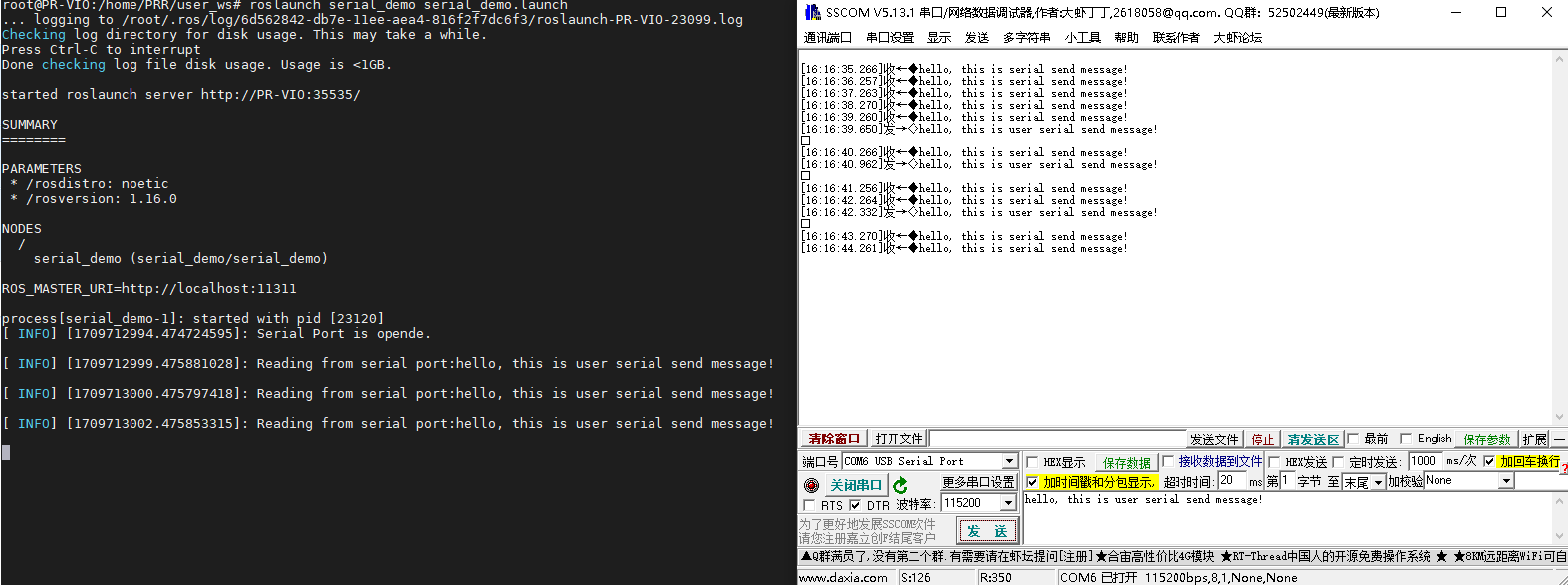
代码实现的效果比较简单,就是单纯的每秒通过串口发送一串字符串到电脑,电脑手动发送字符串给Baton,每秒钟打印一次。
ROS2版本
(1)安装ros-serial库
在ROS中可以直接安装官方提供的serial库,直接可用APT下载,而在ROS2中需要自行下载源码移植
sudo apt install ros-humble-serial-driver
(2)编译代码
cd user_ws/src/serial_demo/extern_lib/serial/build
rm -r *
cmake ..
sudo make install
sudo ldconfig
cd ../../../../..
colcon build
将代码放到Baton里面自己的工作空间里面编译,代码也比较简单,初始化一个串口对象,然后进到一个1hz的循环里面,循环里面读取串口接收数据和发送字符串。
#include "rclcpp/rclcpp.hpp"
#include "std_msgs/msg/string.hpp"
#include "serial/serial.h"

class Serial_node : public rclcpp::Node{
public:
    Serial_node(const std::string& name):Node(name){
        my_serial_init("/dev/ttyS0",115200);
        timer_ = this->create_wall_timer(std::chrono::milliseconds(1000), std::bind(&Serial_node::timer_callback, this));
    }

private:

    void timer_callback(){
        std::string msg = "hello, this is viobot serial send message!";
        my_serial_.write(msg.c_str());
        size_t n = my_serial_.available();
        if(n!=0){
            std::string msg_s;
            msg_s = my_serial_.read(my_serial_.available());
            RCLCPP_INFO(this->get_logger(), "Reading from serial port:%s", msg_s.c_str());
        }
    }

    int my_serial_init(const char* port,uint32_t baudrate){
        my_serial_.setPort(port);
        my_serial_.setBaudrate(baudrate);
        serial::Timeout timeout = serial::Timeout::simpleTimeout(1000);
        my_serial_.setTimeout(timeout);
        my_serial_.setParity(serial::parity_t::parity_none);
        my_serial_.setBytesize(serial::bytesize_t::eightbits);
        my_serial_.setFlowcontrol(serial::flowcontrol_t::flowcontrol_none);
        my_serial_.setStopbits(serial::stopbits_t::stopbits_one);
        try{
            my_serial_.open();
        }
        catch(const std::exception &e){
            RCLCPP_ERROR(this->get_logger(),"Unable to open port.");
            return -1;
        }

        if(my_serial_.isOpen()){
            RCLCPP_INFO(this->get_logger(),"Serial Port is opende.\n");
        }
        else{
            RCLCPP_ERROR(this->get_logger(),"Unable to open port.");
            return -1;
        }
        return 0;
    }

    serial::Serial my_serial_;
    rclcpp::TimerBase::SharedPtr timer_;
};

int main(int argc, char **argv){
    rclcpp::init(argc,argv);
    auto node = std::make_shared<Serial_node>("serial_demo");
    rclcpp::spin(node);
    rclcpp::shutdown();
    return 0;
}
(3)效果展示
source ./install/setup.bash
ros2 run serial_demo serial_demo
代码实现的效果比较简单,就是单纯的每秒通过串口发送一串字符串到电脑,电脑手动发送字符串给Viobot2,每秒钟打印一次。